General Mills Ad Builder
A unified platform for funding compliance and creative execution
The General Mills Co-Op Ad Builder Portal provides turnkey, professionally designed campaigns that make promoting your credit union’s products simple and efficient. This all-in-one resource saves time, money, and effort while offering free materials to strengthen launches and accelerate member adoption.

Dual-Track Delivery: UI/UX Process ↔ Development Lifecycle
UI/UX Track
Research → Define → Design → Validate-
Discovery Research
Contextual interviews, task analysis, heuristic review, analytics baselines.
- “Select → Compose → Validate → Export” mental model
- Need for live guardrails + transparent statuses
-
Definition
Personas, IA, user flows for Claims, Budget, Template Library, and Reviews.
-
Design System & Prototypes
Tokenized components, status chips, editor patterns, error states.
-
Validation
Moderated usability tests, GA4 funnels, Hotjar heatmaps.
Development Lifecycle
Plan → Build → Test → Deploy → Measure-
Plan
Backlog shaping, acceptance criteria, non-functional requirements, security gates.
-
Build
Componentized UI (Storybook), API contracts, data model for claims and budgets.
-
Test
Unit + integration + E2E (Cypress), accessibility checks, performance budgets.
-
Deploy & Measure
Feature flags, phased rollout, GA4 dashboards, error monitoring.
Methods
- Contextual interviews with dealers & co-op admins
- Task analyses of submission & reimbursement flows
- Heuristic audit + analytics review
Insights
- Early guardrails cut rejection cycles
- Status clarity reduces support tickets
Risks
- Multi-brand edge cases
- Localization & seasonal content
- Accounting integrations
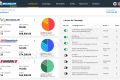
Dashboard
Build a personalized command center with drag-and-drop widgets that highlight your top priorities, campaigns, and real-time activity.
Highlights
- Customizable, drag-and-drop widgets give you a personalized command center.
- Real-time insights surface key metrics, tasks, and campaign performance at a glance.
- Streamlined layout helps you monitor progress and take quick action without digging through menus.
My Library
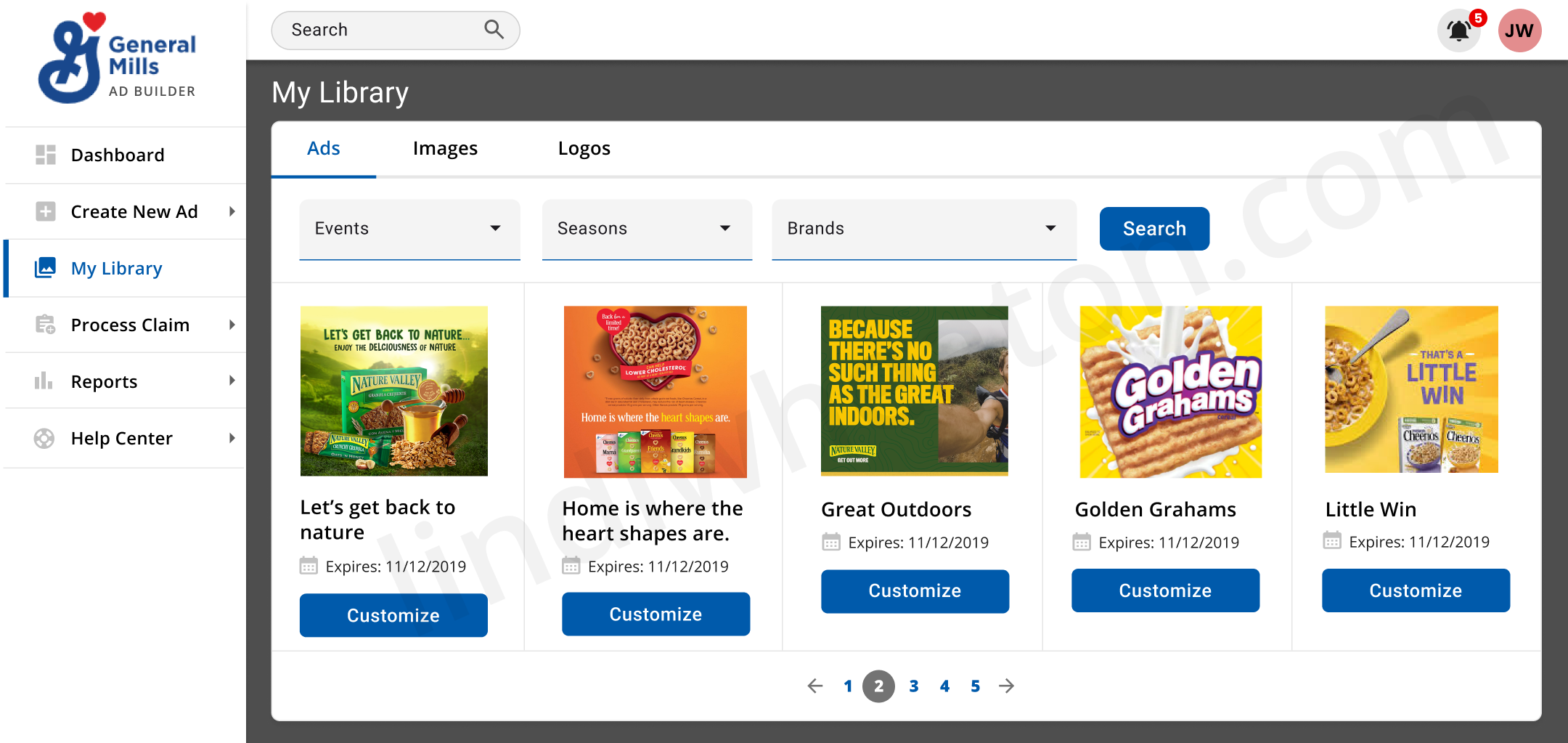
A personalized space where you can save, organize, and quickly access your favorite templates, campaigns, and design assets — all tailored to your workflow.
Highlights
- Save and organize your favorite templates, designs, and frequently used assets.
- Quickly access recently used items to speed up creation and maintain consistency.
- Personalize your workspace with a curated collection tailored to your workflow.
Validation & Accessibility
| Area | Standard | Status | Notes |
|---|---|---|---|
| Color & Contrast | WCAG 2.2 AA | Met | All text/icons pass AA; focus visible. |
| Keyboard | 2.1.1 | Met | Tab order, skip links, dialog traps. |
| Semantics | ARIA / HTML | Met | Landmarks, roles, and labels set. |
| Error Prevention | 3.3.x | Met | Inline errors describe issue + fix. |
| Timing | 2.2.1 | Review | Session expiration warnings; extend. |
| Motion | 2.3.1/2 | Met | Respects prefers-reduced-motion. |
| Docs/Exports | PDF/UA | To Do | Tagged reading order on exports. |
Hire a UI/UX Designer who delivers results through research and prototyping
I design scalable, data-informed digital experiences that simplify complex workflows and drive measurable business outcomes. From research to high-fidelity design prototypes, I help product teams ship solutions that reduce friction, boost adoption, and perform reliably at enterprise scale.